Our Blog
How to Add Bluetooth to a Vintage Stereo (and Keep the Sound You Love)

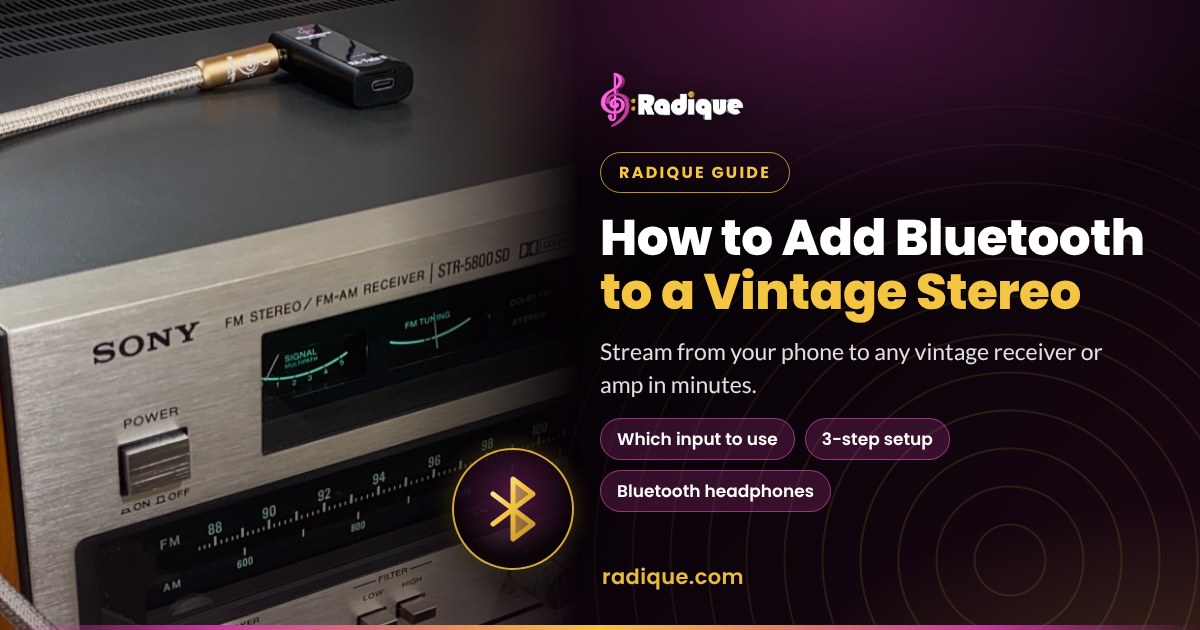
Vintage receivers and amplifiers sound wonderful, and many of them will outlast the gear being made today. What they don’t have is Bluetooth. The good news is you don’t have to replace a thing to stream Spotify, Apple Music or podcasts from your phone. A small Bluetooth adapter plugged into one of your stereo’s existing inputs does the job in a few minutes.
This guide covers which input to use, how to set it up, what makes the difference to the sound, and how to go the other way and listen to your stereo on Bluetooth headphones. We use our own RA-Twin II as the example, but the basics apply to almost any adapter.
Which input should you use?
Any line-level input works: AUX, Tape, Tuner, CD or Video. Those inputs expect the same kind of signal a CD player sends, which is what a Bluetooth adapter puts out. Pick whichever one you aren’t using.
- Use: AUX, Tape, Tuner, CD or Video.
- Don’t use: Phono. It’s built for a turntable’s much smaller signal and adds a lot of gain and bass boost, so an adapter plugged in there sounds loud, boomy and distorted.
- No spare input? Many vintage receivers have two tape inputs, and a free one works perfectly. If your receiver has a Tape Monitor button, press it to hear the tape input.
Most classic receivers use RCA jacks (the red and white pair), so you need a cable with a 3.5 mm plug at one end and two RCA plugs at the other. The RA-Twin II comes with one.
How to set it up in three steps
-
Connect
With your amplifier or receiver turned off, plug the cable’s 3.5 mm end into the adapter and the RCA ends into the input you picked.
-
Pair
Hold the RA-Twin II’s Power button to switch it on and slide the switch to RX. Turn on Bluetooth on your phone, search for “RA-Twin II” and pair. The RX light stays on once you’re connected.
-
Play
Turn on the amp, select the input you used and start the music. Next time, it reconnects to your phone automatically.
For the cleanest sound, keep your phone’s volume fairly high and set the listening level with the amp’s volume knob.
In the car: plug into the car stereo’s 3.5 mm AUX input with a 3.5 mm to 3.5 mm cable (not included). The built-in microphone handles hands-free calls.
Watch it step by step: Stream Bluetooth to Your Vintage Stereo (Easy Setup).
Will it sound good?
For everyday listening, yes, and usually better than people expect. A few things make the difference:
- The right input. A line-level input, never Phono, keeps the level right and the sound clean.
- The level. Keep your phone’s volume fairly high and use the amp’s knob, so the music sits well above any background hiss.
- The cable. Shielding keeps hum and interference out. Our Gold Series cables are a real step up from the basic starter cable.
- The source. Set your streaming app to its highest quality setting. A low-quality stream sounds thin through any system.
- The distance. Stay within about 10 m (33 ft), with a clear line of sight, for a steady connection.
If you want the very best your system can do, a good turntable or CD player still has the edge. Bluetooth is about convenience: your whole music library and every podcast, through the speakers you already love.
Listening on Bluetooth headphones
The same adapter works the other way. In TX mode it sends your stereo to Bluetooth headphones or a Bluetooth speaker, which is perfect for late-night listening.
-
Connect
Turn the amp’s volume all the way down. Plug a ¼” to ⅛” TRS cable into the amp’s headphone jack and the adapter.
-
Pair
Switch the RA-Twin II on and slide it to TX. Put your headphones in pairing mode and the RA-Twin II pairs with them automatically.
-
Play
Start the music and raise the amp’s volume slowly. The amp’s knob now sets what you hear.
On many amps, plugging into the headphone jack mutes the speakers. If yours doesn’t, switch the speakers off. It works with a TV too: connect to the TV’s audio output, usually 3.5 mm or RCA, with a matching cable. Our Gold Series TX Bundle includes the right cable for vintage headphone jacks.
See it in under a minute: Can You Use Bluetooth Headphones With a Vintage Stereo? (Audio Tip #10). This Short goes public Nov 13.
The RA-Twin II, our Bluetooth adapter for vintage stereo
The RA-Twin II is a pocket-sized Bluetooth 5.4 receiver and transmitter from Radique Audio, for $39 CAD. It does all three jobs in this guide: streaming to your stereo (RX), sending your stereo to headphones (TX), and playing MP3s from a microSD card with no phone at all (Mobile). And every one helps keep a vintage system playing instead of heading to landfill.
| What you get | Details |
|---|---|
| Modes | RX (receive), TX (transmit), Mobile (microSD MP3 player, cards up to 64 GB) |
| Bluetooth | 5.4 EDR (A2DP, HSP, AVRCP), up to 10 m (33 ft) line of sight, low latency for TV and video |
| Battery | Up to 10 hours per charge, about 2 hours to charge over USB-C |
| In the box | Adapter, basic dual RCA to 3.5 mm cable, USB-C charging cable, a card with a QR code to the manual and videos |
| Size | 60 × 25 × 13 mm and 15 g |
| Warranty | 1 year, with support from our team in Ottawa |
- Gold Series bundles. The RX Bundle adds our shielded 3.5 mm to dual RCA cable, and the TX Bundle adds a ¼” to ⅛” TRS cable for headphone jacks. Each costs less than buying the two separately.
- Keep it charged at the stereo. Many vintage receivers have AC outlets on the back panel. Plug our RA-USB multi-port charger into one and the RA-Twin II stays charged right where it lives.
- A manual you can follow. Step by step in English and French, each with a printable PDF.
“I can’t tell you enough how thrilled I am with this little but mighty product.”
Kevin, Google review, streaming to his Marantz 2220B
See what’s in the box: unboxing and how it works.
Questions people ask
Can I add Bluetooth to an old receiver with no AUX input?
Yes. Any line-level input works: Tape, Tuner, CD or Video. Just don’t use Phono.
Why not the phono input?
It’s designed for a turntable’s much smaller signal and adds gain and bass boost, so a Bluetooth adapter there sounds loud and distorted.
Does Bluetooth sound as good as a CD?
Not quite, because Bluetooth audio is compressed. For everyday listening most people are very happy with it, especially with a good cable and a high-quality stream.
Will it work in my car?
Yes. Connect it to the car stereo’s 3.5 mm AUX input with a 3.5 mm to 3.5 mm cable (not included). The built-in microphone handles hands-free calls.
Can I listen to my vintage stereo on wireless headphones?
Yes. In TX mode, connect the adapter to the amp’s headphone jack with a ¼” to ⅛” TRS cable and pair your headphones.
How far does it reach, and how long does the battery last?
Up to 10 m (33 ft) with line of sight, and up to 10 hours per charge. A full charge over USB-C takes about 2 hours.
Why does my amp make noise after I stop streaming?
The RA-Twin II switches itself off after 10 minutes without a connection, and a basic cable can then pick up noise. Turn the amp off or switch inputs when you’re done, or use a shielded Gold Series cable.
Do you ship to the United States?
Yes. On Radique Audio products we add the US import duties and fees at checkout and prepay them for you, so there’s nothing to pay at delivery.